
you find a plugin in the panel’s catalogue, install it on your Minecraft server and check it is loaded.
Extensions menu (Minecraft section). Two tabs: Browse plugins (the catalogue) and Installed plugins (the ones already installed). The catalogue first shows popular plugins, with their author, last update date, download count and rating.
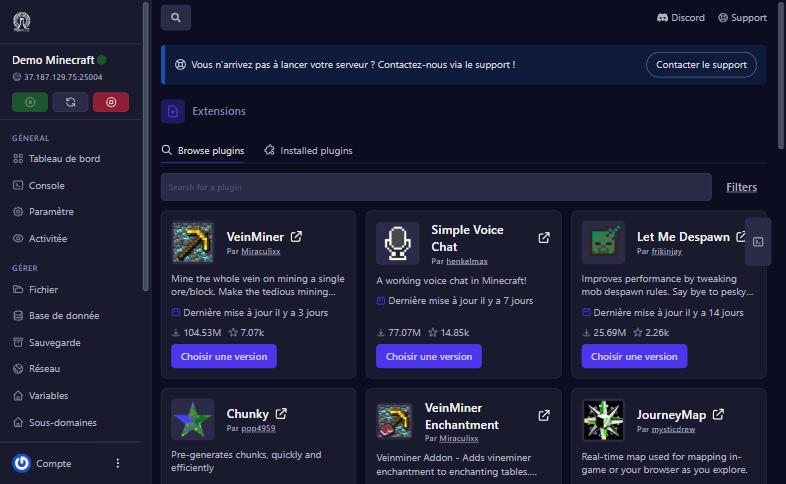
Type its name in Search for a plugin. The Filters button narrows by platform and game version: pick your server’s version to see only compatible plugins.
Click Choisir une version (choose a version) under the plugin. The window lists the plugin’s versions: take the line that matches your Minecraft version and your server type (Paper or Spigot), then confirm the install. The default version is not always the right one: read the line’s name before confirming (see the “Add a mod” guide, where the same trap was found).
Restart the server. In the Console, at startup, Minecraft lists the loaded plugins: you should see yours. The Installed plugins tab also lists the server’s plugins. In game, the /plugins (or /pl) command shows them.
your server is Vanilla or Fabric. Install Paper from the Versions screen, then reinstall the plugin.
the plugin does not match your Minecraft version. Remove it (Installed plugins) and pick a compatible version.
remove the last plugin installed, restart, then read the console to find the cause.
(another required plugin): install it the same way.
Our team will answer by message or on Discord.