
you can find your servers, read their status and start, restart or stop them.
The Serveurs (Servers) page is the panel’s home screen. Each card is a server: its name, its status (En ligne online or Hors ligne offline), its IP address and port, and the CPU, memory (RAM) and disk used with their limits. The IP:port is what your players type to join.
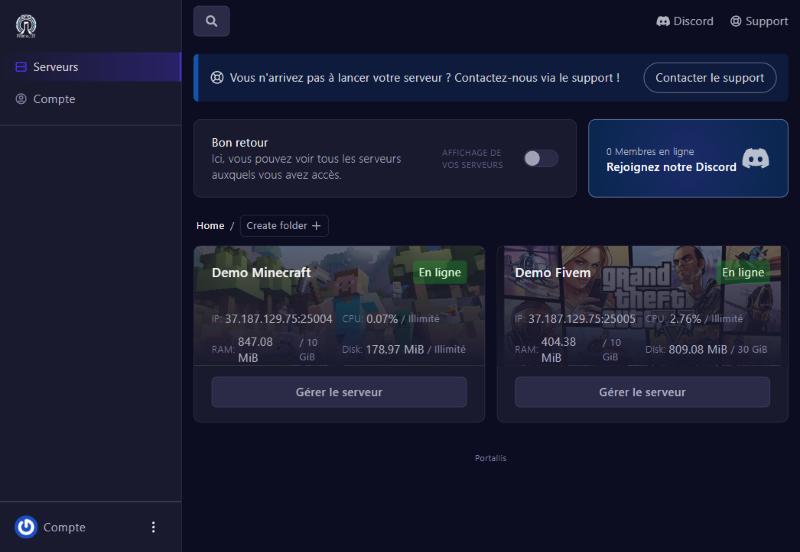
The Create folder button groups your servers into folders if you have many. The Discord and Support links at the top right take you to help.
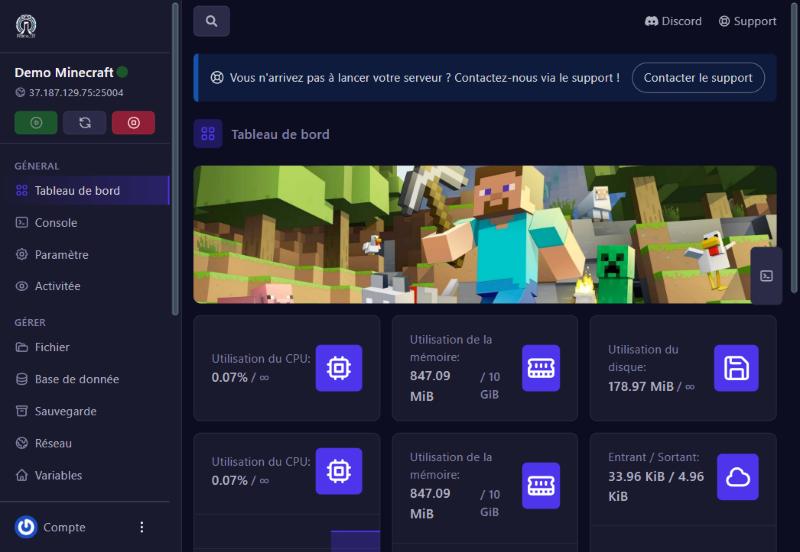
Click Gérer le serveur (manage server) under the card. The left menu changes: it now holds every screen of the server (Console, Files, Backups…). The green, grey and red buttons at the top of the menu are Start, Restart and Stop.
The Tableau de bord (Dashboard) summarises the server’s health: CPU, memory and disk use, graphs over time, and network traffic (in / out). If memory nears its limit the server may slow down or stop: reduce mods or add RAM.
check you are signed in with the right account; otherwise write to us with Contacter le support (the blue banner at the top).
open the Console, the last line usually says why (missing licence, file not found…).
restart, then remove mods or plugins, or ask for more RAM.
Our team will answer by message or on Discord.