
you browse your server’s files and can create, upload and edit files from your browser.
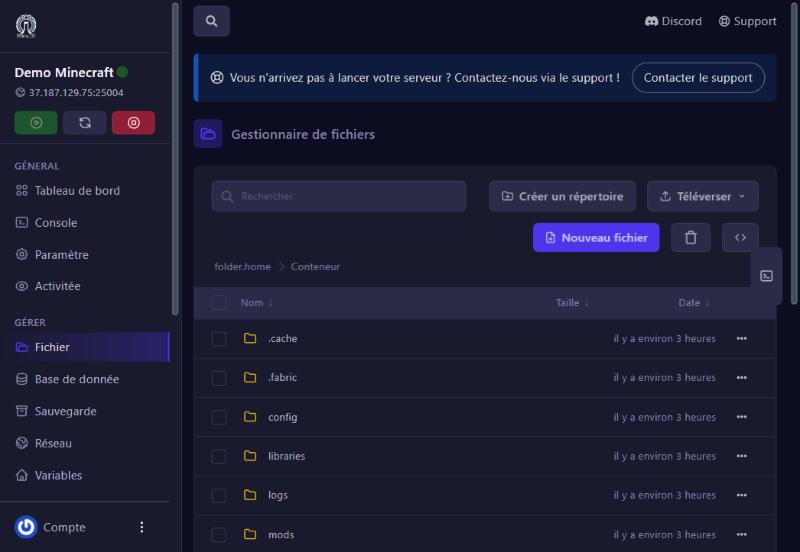
Fichier (Files) menu. You see your server’s root: folders (config, mods, logs, world…) then files (server.jar, eula.txt, ops.json…), with their size and date. The path at the top (“folder.home > Conteneur”) tells you where you are; click it to go back up. The Rechercher (search) bar filters the current folder.
/Accueil/Conteneur/), then Créer.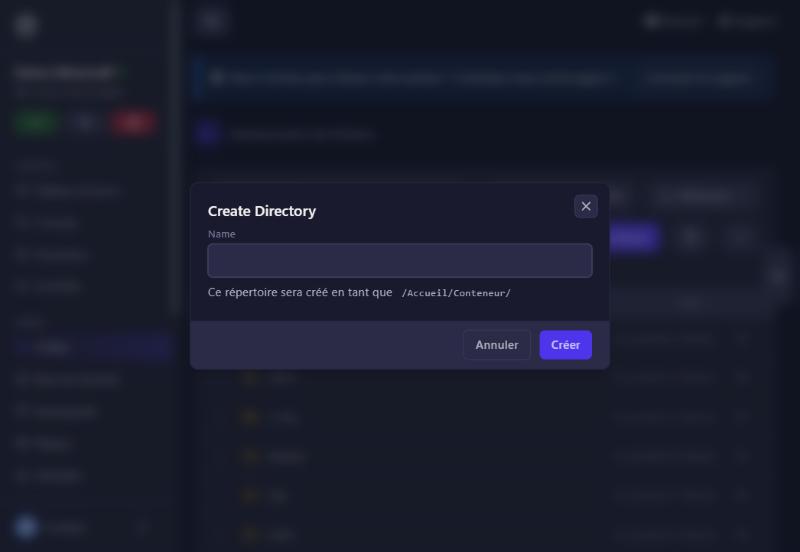
The Téléverser (upload) button offers three choices: Téléverser des fichiers (files), Téléverser des dossiers (folders) and Téléverser depuis une URL (the server downloads the file straight from a web address, handy for a mod or plugin).
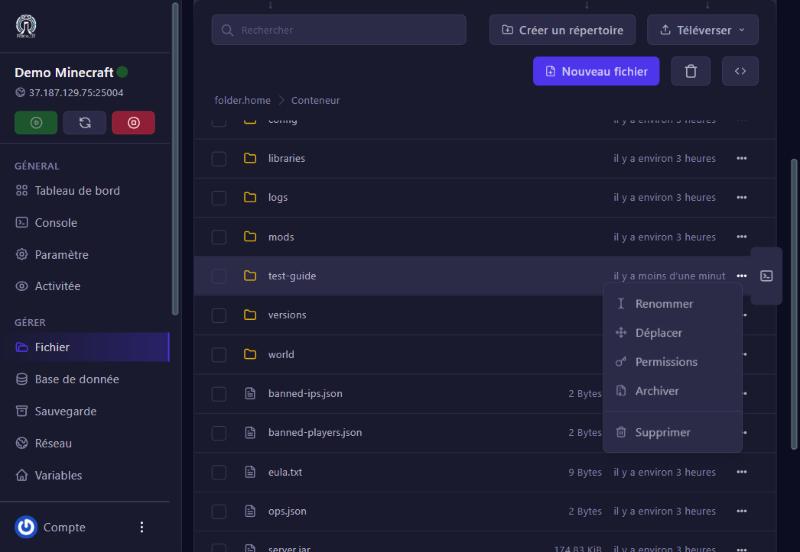
Each row’s ⋯ menu offers Renommer (rename), Déplacer (move), Permissions, Archiver (archive) and Supprimer (delete). Tick several rows to act on many items at once with the bin at the top.
the game rewrote the file while shutting down. Stop the server, edit, save, then restart.
use SFTP for big files.
restore a backup (see the backups guide).
use the Rechercher bar or look in the config folder.
Our team will answer by message or on Discord.